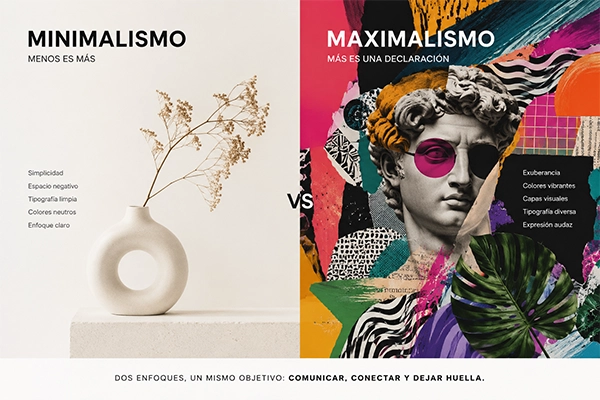
Visual design on social media is key to building brand identity, increasing recognition, and boosting audience engagement. One of the most effective ways to achieve consistency and professionalism in your content is by using custom visual templates.
In this article, we’ll show you how to create and use social media templates that reflect your brand essence, streamline content creation, and improve engagement.
Why use templates on social media?
Templates are pre-designed layouts that can be reused to maintain a consistent visual identity across your content. Their benefits include:
- Time savings: Create content faster without starting from scratch
- Visual consistency: Reinforce your brand identity with a unified style
- Stronger recognition: Help users instantly identify your content
- Process efficiency: Enable marketing teams to maintain consistency at scale
Successful brands rely on templates as part of their digital strategy to create a more polished and cohesive visual presence.
Key elements of an effective social media template
To be functional and visually appealing, a template should include the following:
1. Brand-aligned color palette
- Use your primary brand colors
- Balance vibrant and neutral tones
- Avoid combinations that reduce readability
2. Clear and consistent typography
- Use no more than two or three typefaces
- Assign one font for headlines and another for supporting text
- Ensure readability across devices
3. Balanced layout and spacing
- Avoid overcrowding the design
- Use margins and alignment to create visual harmony
- Keep a clean, professional look across all posts
4. Logo and distinctive elements
- Place your logo strategically without overpowering the design
- Use icons or geometric elements that reinforce your identity
- Apply subtle watermarks to protect your content
5. Platform-specific formats
Each platform has its own recommended dimensions. Some key formats include:
- Instagram Feed: 1080 × 1080 px (square)
- Instagram Stories & Reels: 1080 × 1920 px (vertical)
- Facebook Posts: 1200 × 630 px
- LinkedIn: 1200 × 627 px
- Pinterest: 1000 × 1500 px
Tools to create custom templates
Several tools make it easy to design templates without advanced skills:
- Canva: Ideal for beginners and marketing teams
- Adobe Photoshop: Best for advanced editing and detailed designs
- Figma: Perfect for real-time collaboration
- Crello (VistaCreate): A strong Canva alternative with ready-made templates
These tools allow you to export designs in multiple formats and share them easily with your team.
Types of social media templates
Depending on your content strategy, you can create different types of templates:
- Informational templates: For sharing tips, data, or news with strong visuals
- Quote templates: Designed with bold typography and minimal backgrounds
- Promotional templates: Highlight offers, discounts, and pricing
- Testimonial templates: Feature customer reviews and user images
- Educational carousel templates: Structured sequences that keep users engaged
Each template type should align with your communication goals and create impact.
Common mistakes when designing social media templates
To maintain an effective visual presence, avoid these mistakes:
- Using too many colors and fonts, which creates visual noise
- Not adapting templates to each platform
- Ignoring readability (small text or low contrast)
- Failing to test variations (A/B testing is key)
Regularly optimizing your templates will improve the performance of your content.
Conclusion
Visual templates are a powerful tool for maintaining a professional and engaging presence on social media. By aligning colors, typography, and formats with your brand identity, you create a cohesive and effective visual system.
Using the right tools, testing different styles, and avoiding common mistakes will help you refine your strategy and strengthen audience engagement.