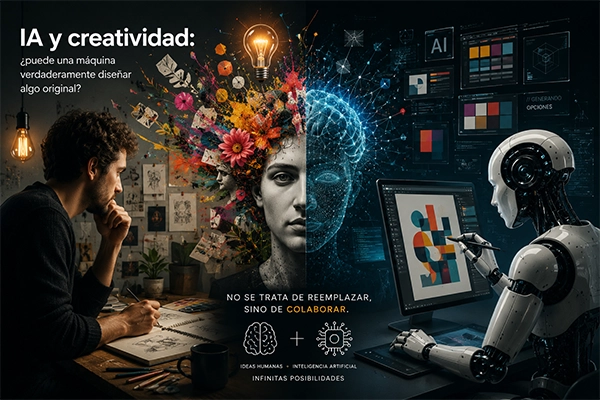
Web design is no longer a blank canvas.
Today, thanks to artificial intelligence, it’s possible to go from an idea to a functional prototype in minutes. But for this to truly work, it’s not just about clicking a button—you need to know how, when, and why to integrate AI into your prototyping process.
Prototyping is a critical stage in UX/UI design. It allows you to validate structure, hierarchy, interaction, and user experience before development begins.
AI has entered this phase to accelerate, automate, and support early visual decisions—without replacing the designer’s judgment.
What is AI-powered web prototyping?
It’s the use of intelligent tools that generate, complete, or refine interface structures based on:
- Data
- Text prompts
- Pre-built components
- Interaction patterns
Unlike designing from scratch, these tools offer:
- Automatic wireframes
- Predictive section completion
- Layout and hierarchy suggestions
- Simulated navigation
- Quick integration with real or placeholder content
Real advantages of using AI in prototyping
1. Faster initial structures
Generating a basic landing page or e-commerce layout takes seconds. This frees up time for refinement instead of starting from zero.
2. Higher productivity in exploration phases
You can test multiple variations quickly, speeding up concept validation.
3. Support for junior or non-UX designers
AI suggests best practices, making it useful for small or multidisciplinary teams.
4. Direct integration with development
Many tools allow exporting HTML, CSS, or React code—closing the gap between design and development.
5. Data-driven feedback
Some platforms analyze visual hierarchy, readability, and layout balance in real time.
Top AI prototyping tools (2025)
Uizard
- Turns hand-drawn sketches into functional interfaces
- Generates layouts from text descriptions
- Ideal for designers, developers, and non-UX teams
Framer AI
- Creates responsive websites from prompts
- Editable React-based output
- Supports animations and microinteractions
TeleportHQ
- Converts visual design into clean code (HTML, CSS, React)
- Great for MVPs and fast landing pages
Galileo AI
- Builds full UI screens from contextual prompts
- Focused on dashboards, apps, and SaaS
💡 Esbozo tip: Use these tools in early stages—but always refine with human judgment and brand intent.
How to integrate AI into your prototyping workflow
1. Start with a strategic input
Before using AI, define:
- Website goal
- Target audience
- Content hierarchy
- Desired visual style
Clear inputs = better outputs.
2. Use AI to accelerate, not to decide
Let AI propose layouts—but you decide:
- Which components to keep
- What hierarchy works
- What actually makes sense for the content
3. Iterate with real feedback
Once the prototype is ready:
- Test it with real users
- Evaluate usability and navigation
- Refine visually using your design system
🔍 AI doesn’t understand human behavior—testing is essential.
Common mistakes when using AI in prototyping
- Letting the tool define everything without customization
- Ignoring the brand’s visual identity
- Using generic layouts without adapting content
- Skipping usability testing
- Treating the prototype as a final product
AI-generated design is not final—it’s a smart draft.
Additional advantages when combining AI with branding
- Prototypes aligned with your visual identity
- Faster presentation of ideas to clients
- Real-time concept validation during meetings
- Improved collaboration between design, content, and development
The key: never lose the brand’s voice and tone across screens.
Conclusion
Prototyping with AI isn’t about designing less—it’s about deciding better
AI helps you move faster—but only if you know where you’re going.
AI prototyping is a powerful tool for designers who see design as strategy, not templates.
At Esbozo, we use it as a creative boost—not autopilot.
Because in the end, what turns a prototype into a real experience is the designer—not the algorithm.