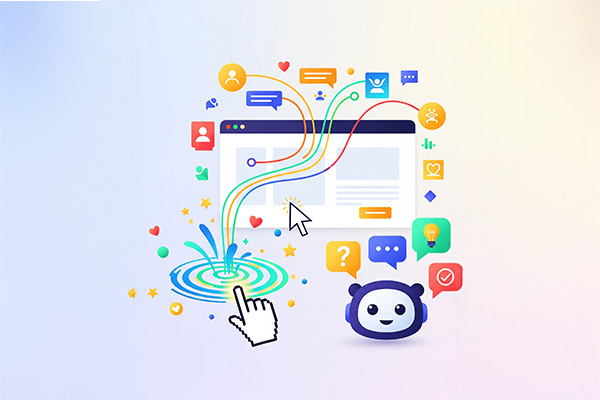
In a digital environment where speed and personalization are key, integrating elements such as chatbots and microinteractions into web design not only enhances the user experience but also improves interaction and conversion. However, visual aesthetics should not be sacrificed for functionality. Chatbots and microinteractions must be integrated in a harmonious and consistent way with the website’s design, ensuring a smooth and engaging user experience (UX).
In this article, we explore how to integrate chatbots and microinteractions into your web design without negatively affecting visual aesthetics, while keeping functionality aligned with your brand’s visual identity.
Why Are Chatbots and Microinteractions Important?
1. They Improve User Experience (UX)
Both chatbots and microinteractions are designed to facilitate user interaction by providing immediate responses to their needs. A chatbot can guide users through a purchasing process, while a microinteraction can offer clear visual feedback in response to an action, such as a click or scroll.
- Chatbot example: A chatbot can instantly answer frequently asked questions, providing users with a smoother experience.
- Microinteraction example: A button changing color when hovered over provides visual feedback, ensuring the user knows their action has been registered.
2. They Increase Conversion Rates
The integration of these interactive elements can boost conversion rates, as chatbots can facilitate purchases, answer questions, and guide users throughout the buying process. Microinteractions, on the other hand, create a sense of satisfaction by providing clear and visually pleasing feedback.
3. They Enable Personalization
Chatbots can personalize the user experience by delivering responses based on a visitor’s previous interests, increasing the relevance of the content or product displayed. Microinteractions can also be adapted to user preferences, enhancing their experience on the site.
How to Integrate Chatbots Without Compromising Design
1. Visually Appealing and Non-Intrusive Design
A chatbot should not feel like an annoying pop-up that interrupts navigation. To integrate it effectively without affecting aesthetics, its visual design must be subtle yet accessible:
- Strategic placement: Position it in a lower corner of the page or in a visible but non-invasive area, so users can easily access it without interfering with the main content.
- Minimalist design: Keep the chatbot design simple and clean. Use colors and typography consistent with your brand to maintain visual coherence.
- Subtle animations: Avoid exaggerated animations. Use smooth, natural transitions when the chatbot appears or responds, such as a soft fade or slide-in effect.
2. Chatbot Personalization and Tone of Voice
The chatbot should reflect your brand’s tone of voice so users feel connected to the experience. If your brand is friendly and approachable, the chatbot should use casual and accessible language. If your brand is more formal, it should adopt a structured and professional tone.
- Example: If your brand is youthful and fun, the chatbot can use relaxed language and emojis. If your brand is corporate and serious, it should maintain a direct and formal tone.
3. Seamless Integration with Page Design
The chatbot should not feel like a disconnected element on the page. It must be fully integrated into the website design so that it appears as a natural extension of the interface. Make sure the trigger button and chatbot UI align with the page’s colors, typography, and visual style.
How to Integrate Microinteractions Without Sacrificing Visual Aesthetics
1. Use Microinteractions to Provide Feedback Without Being Intrusive
Microinteractions should be subtle yet effective. Their purpose is to provide feedback without interrupting the user experience or overwhelming it with visual noise. Some ways to implement them include:
- Button animations: A button that changes color or scales slightly when hovered over, providing immediate feedback.
- Smooth scrolling effects: As users scroll, images or text elements can appear with a soft fade or slide effect, making the page feel more dynamic.
2. Use Microinteractions in Transitions
Transitions between sections should feel smooth and well-coordinated. Microinteractions can make these transitions more elegant and fluid, preventing abrupt jumps between pages or sections.
- Example: When a user clicks a link or button, instead of an instant page change, you can use a soft slide or fade transition into the next section.
3. Animated Waiting States
When users need to wait (for example, during page loading or product searches), microinteractions can keep their attention and make the wait feel less tedious.
- Example: Use an animated loading icon or a smoothly moving progress bar to give users a sense of control over the process.
Conclusion
Chatbots and microinteractions are key elements in modern web design, but to be effective, they must be properly integrated into the brand’s visual aesthetic. When used correctly, these elements can significantly enhance user experience, increase interaction, and optimize conversion.
The key lies in balance: chatbots and microinteractions must be functional, but they should also respect the brand’s visual design. When implemented properly, they not only add practical value but also enrich the visual appeal of your website, improving the overall perception of your brand.